A detailed breakdown of Mintlify's pricing plans, AI credit costs, hidden fees, and how it compares to alternatives like GitBook, Docusaurus, and Velu.
Mintlify has quietly become the documentation platform that top-tier developer companies reach for. Anthropic, Perplexity, Cursor, Vercel, and Laravel all run their docs on it. The design is clean, the developer experience is smooth, and the AI features are genuinely impressive.
So when you land on their pricing page and see three tiers laid out neatly, it feels like an easy evaluation. Pick a plan, plug in your team size, done.
Except it doesn’t quite work that way.
The real cost of Mintlify depends on how many people are editing your docs, how often users interact with the AI assistant, and which features you’ll eventually need as your team scales. Some of those costs aren’t visible on the pricing page at all.
This article walks through every tier in detail, models realistic costs for a 5-person team, explains exactly how AI credits work (including what Mintlify doesn’t publicly disclose), and compares the platform against alternatives so you can make an informed decision.
This article is based on research conducted in March 2026, sourced primarily from Mintlify’s pricing page, their official documentation, and verified public feedback across G2, Reddit, and Hacker News. Pricing and features may change, so always confirm directly with Mintlify before committing.
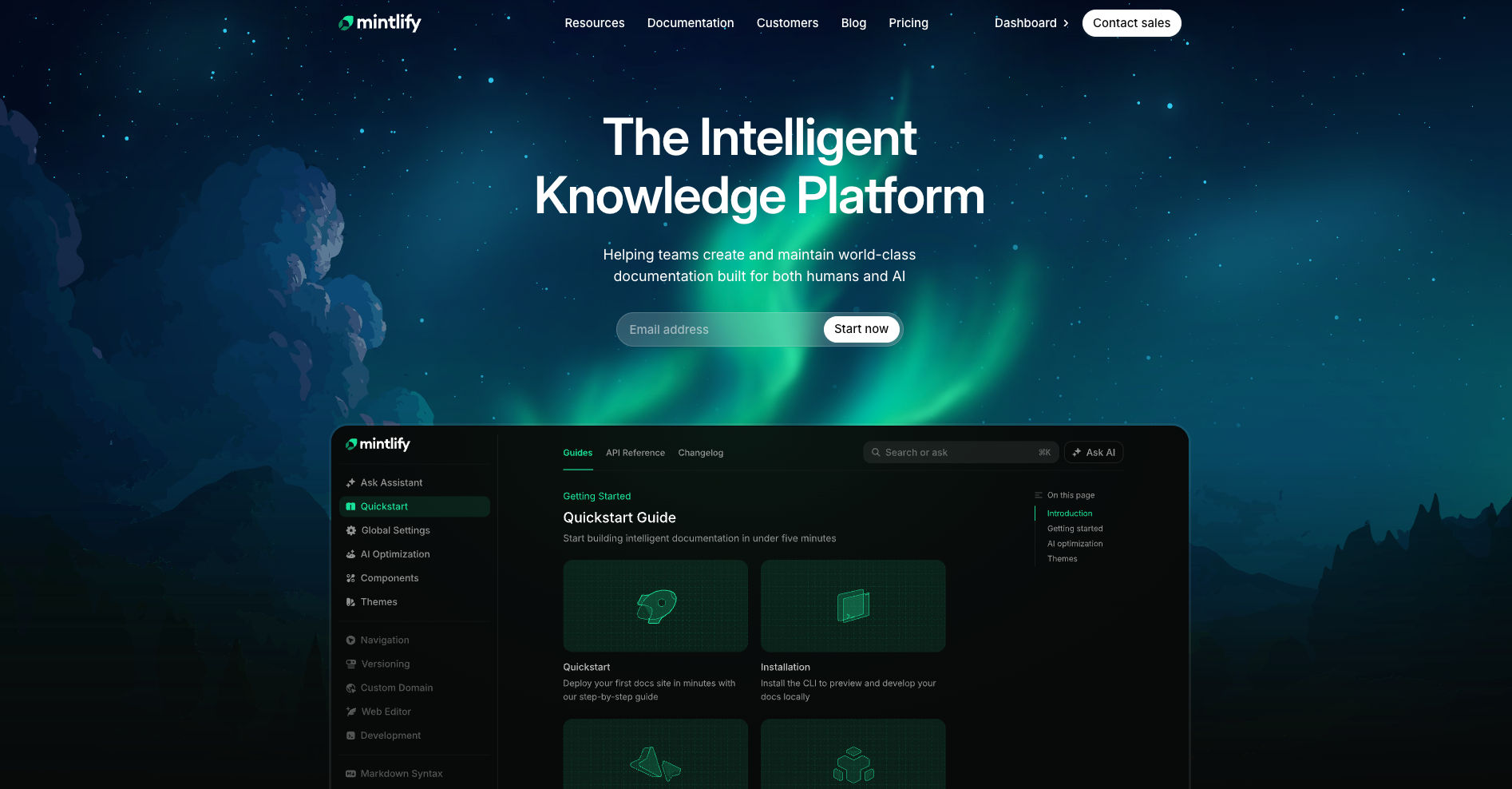
The three tiers and what you actually get
Mintlify offers three plans. Here’s what’s included at each level:
| Hobby (Free) | Pro ($250/mo annual, $300/mo monthly) | Enterprise (Custom) | |
|---|---|---|---|
| Price | $0 | $250/mo (annual) / $300/mo (monthly) | Contact sales |
| Dashboard members | 1 | 5 included | Unlimited |
| AI availability | None, zero AI features | 250 AI credits/mo, overages at $0.25/credit. Includes Assistant, Writing Agent, Agent Workflows, AI Translations, support bot integrations | Custom allowance, same feature set as Pro |
| Key features | Custom domain, API playground, web editor, Git sync, semantic search, custom CSS/JS, LLM optimizations (llms.txt, MCP server) | Everything in Hobby plus preview deployments, analytics, user feedback, Slack/Discord integrations, webhooks, developer API, grammar/styling checks | Everything in Pro plus SSO (SAML), dashboard RBAC, white-labeling, 99.99% uptime SLA, SOC 2, migration services, security and legal reviews |
The most noticeable thing about this pricing structure is the gap between free and paid. There is no mid-tier option at all, no $50 or $100 plan for small teams that need just a bit more than the free tier offers.
Mintlify previously had a Growth plan that filled this space, but they sunset it and simultaneously raised the Pro plan from $180/month to $300/month. So today, the moment you need a second team member or want to test any AI feature, you’re jumping from $0 to $300 in one step.
What a 5-person team actually pays
The pricing page says $300/month (or $250 on annual billing). But let’s model what a real team would spend. Imagine a 5-person team on the Pro plan with monthly billing, and their documentation portal sees about 1,000 AI assistant interactions per month.
| Line item | Monthly cost |
|---|---|
| Pro plan base (monthly billing) | $300.00 |
| Extra seats (5 included, 0 extra needed) | $0.00 |
| AI overages: 1,000 credits used minus 250 included = 750 overages at $0.25 each | $187.50 |
| Total | $487.50/mo |
That’s 62% more than the sticker price, driven entirely by AI usage.
If the team grows to 8 members, additional seats reportedly cost around $20/month each. This figure is widely cited across independent sources but is not published on Mintlify’s pricing page, so we’d recommend confirming the exact per-seat rate directly with Mintlify before budgeting. At that rate, an 8-person team would be paying closer to $547 per month.
Annual billing brings the base down to $250/month with roughly 15% savings, but there are no refunds and no mid-cycle downgrades. Mintlify also offers a startup program that gives venture-backed companies 6 months of free Pro access, which is meaningful relief but ultimately just delays the pricing decision.
AI credits: the key unknown in Mintlify pricing
AI credits are where Mintlify’s pricing gets genuinely hard to predict. Understanding exactly how they work, and more importantly what Mintlify doesn’t publicly disclose about them, is critical before you commit.
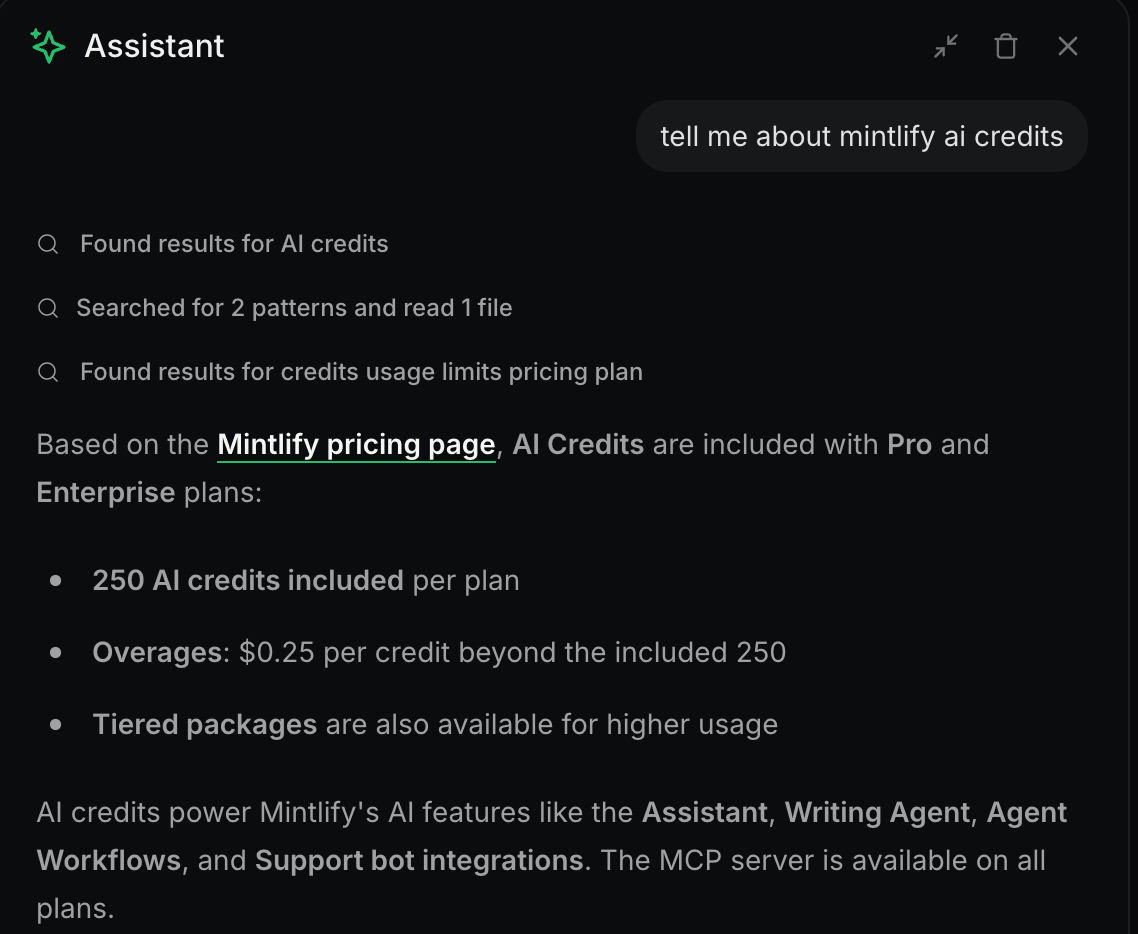
What consumes credits and where they get used
From Mintlify’s documentation, AI credits are consumed when API calls are made using the assistant API key (identified by the mint_dsc_ prefix), specifically through two endpoints: “Create assistant message” and “Search documentation.” A credit counts as any user interaction with the assistant that receives a successful response, so failed or unanswered queries don’t eat into your allowance.
What makes this particularly important is that the 250 included credits are shared across every channel where the assistant is active:
- The on-site assistant widget on your documentation pages
- The Slack bot, where each message counts toward your assistant usage
- The Discord bot, which draws from the same pool
- Any custom integration hitting the assistant API endpoints
This means your internal team querying docs through Slack, your community asking questions in Discord, and your public-facing website assistant are all pulling from one shared pool of 250 credits per month. A team that relies heavily on Slack for quick documentation lookups, or a growing community using the Discord bot for support, can burn through credits well before external traffic on your docs site picks up.
Overages are on by default
Mintlify’s own assistant documentation is clear on this point: overages are enabled by default. If you don’t proactively navigate to the billing tab in the dashboard and either set a spend limit or disable the assistant when your quota runs out, charges accumulate automatically at $0.25 per credit. You can set usage alerts at a percentage threshold, but that requires you to actively configure them.
The tiered packages Mintlify won’t show you
This is where it gets genuinely opaque. Mintlify’s pricing page mentions “tiered packages available” alongside the $0.25/credit overage rate. Their assistant documentation references “assistant tiers” that determine your monthly message allowance and pricing, and explains the mechanics of upgrading and downgrading between those tiers.
But they don’t publicly disclose what those tiers are, what they cost, or what message allowances they include. That information is only visible inside the dashboard after you’re already a paying customer.
This creates a real problem for teams trying to budget before committing. If you want to model your costs for 1,000 or 2,500 AI interactions per month, you can’t complete that calculation without data Mintlify doesn’t make public. You know the overage rate is $0.25 per credit. You don’t know whether a tiered package would reduce that rate, or by how much.
For the 5-person team in our earlier scenario using 1,000 credits per month, the confirmed math is straightforward: 750 overage credits at $0.25 each comes to $187.50 on top of the $300 base. Whether a tiered package would bring that down, and by how much, is something you’d only find out after signing up.
The carryover mechanic
One genuinely helpful detail: unused credits can carry over to the next billing cycle, but only up to half of your message allowance. Mintlify’s docs give this example: if you have a 1,000 message allowance and use only 300, you get 500 carried over (capped at half of the allowance, not the full 700 remainder). This is helpful during low-traffic months but doesn’t solve the unpredictability for teams with growing usage.
There’s also a catch if you decide to downgrade your assistant tier. According to Mintlify’s documentation, unused messages from your current tier do not carry over when you downgrade. So if you’ve been on a higher tier and built up a credit balance, switching to a lower tier wipes that balance entirely. The pricing change takes effect at the start of the next billing cycle, but your remaining credits disappear immediately.
The costs the pricing page doesn’t highlight
Beyond AI credits, there are several line items that aren’t obvious from the pricing page and can meaningfully change your budget.
1. Extra seats are not listed on mintlify.com/pricing at all. The Pro plan includes 5 dashboard members, and the per-seat cost for additional editors is widely reported at approximately $20/month each. A 10-person team would be looking at $300 base plus $100 in extra seats, reaching $400/month minimum before any AI usage is factored in.
2. Enterprise-gated features catch a lot of mid-stage teams off guard. SSO (SAML/Okta/Azure AD), SOC 2 compliance, white-labeling (removing “Powered by Mintlify”), dashboard RBAC, and migration services are all locked behind Enterprise pricing, which requires a sales conversation with no published starting price. For B2B startups whose customers demand SOC 2 or whose security teams require SSO, the Pro plan simply isn’t enough.
3. Annual billing lock-in saves approximately 15%, bringing the base from $300/month down to $250/month. But Mintlify offers no refunds and no mid-cycle downgrades. If your needs change four months into an annual contract, you’re committed for the remaining eight.
Across G2, Reddit, and Hacker News, pricing is consistently the most common reason teams explore alternatives to Mintlify. The product quality is rarely questioned, but the cost structure keeps coming up as a friction point.
How Mintlify compares to alternatives
Using the same 5-person team scenario to keep the comparison grounded:
| Platform | 5-person team cost (est.) | AI included | Workflow | Free tier |
|---|---|---|---|---|
| Mintlify | ~$487/mo (with 1,000 AI credits) | 250 credits, $0.25/credit overage | Docs-as-code (Git + MDX) | Yes (1 user, no AI) |
| GitBook | ~$113/mo (Premium + 5 users) | AI assistant only on the $250/mo plan | Git sync + WYSIWYG | Yes (1 user) |
| ReadMe | ~$99-399/mo (per project) | AI features on higher tiers | CMS-first | Limited |
| Docusaurus | $0 + hosting costs | None built-in | Docs-as-code (React + MDX) | Fully free |
| Velu | $49/mo (5 members, all features) | 5,000 AI credits with open overages | Docs-as-code | Yes |
GitBook is the more established, legacy option in this space. It’s been around longer, offers a reliable editing experience, and is accessible to non-technical contributors through its WYSIWYG editor. But it wasn’t built developer-first the way Mintlify was, and the editing experience reflects that trade-off. GitBook’s AI assistant is only available on their $250/month plan, which puts it in the same ballpark as Mintlify’s Pro tier for teams that want AI capabilities. If your team values stability and broad contributor accessibility over cutting-edge design, GitBook is a solid choice, but it’s not where the developer documentation market is heading. For a deeper look, see our GitBook review on the Velu blog.
ReadMe has the best interactive API explorer on the market, with live endpoint testing built directly into the documentation. The trade-off is a per-project pricing model that multiplies fast if you run multiple API products, and a CMS-first approach that doesn’t align with docs-as-code workflows.
Docusaurus is free and open-source with over 61,000 GitHub stars. It gives you maximum control at zero licensing cost, but there’s no managed hosting, no built-in AI, no analytics, and no collaboration tools. The real cost is engineering time, and for many teams that cost exceeds $300/month in developer hours.
Velu delivers the same docs-as-code workflow at $49/month for a 5-person team with all features included. That includes 5,000 AI credits with open overages — generous headroom for a whole team. No per-seat surprises, no features gated behind an enterprise paywall. For teams that want clean, AI-native documentation without the $300 floor, it’s the most straightforward option on this list.
Who should (and shouldn’t) pay for Mintlify in 2026
Mintlify is making aggressive moves in the AI documentation space. They acquired Trieve for RAG search infrastructure in July 2025 and Helicone for LLM observability in March 2026. The AI features they offer today, including agentic RAG-powered assistant, autonomous Writing Agent, MCP server integration, llms.txt support, and AI translations, are genuinely differentiated. No other documentation platform offers this depth of AI capability right now.
But here’s the tension: for a platform that positions itself as “AI-native,” all AI features are completely paywalled behind the $300/month Pro plan. The free tier includes zero AI capability. In 2026, when AI-powered search and AI-assisted content creation are becoming baseline expectations for developer tools, shipping a free tier with no AI at all feels more like a deliberate upsell strategy than a product decision.
Mintlify makes sense for well-funded API companies where developer experience is a competitive advantage, teams of 5 or more already working in Git-based workflows, and companies where documentation quality directly impacts product adoption. Anthropic, Cursor, and Vercel are on Mintlify for a reason. When docs are a core part of your product, the premium can be justified.
Mintlify is harder to justify for any company that is conscious about where every dollar goes. If you’re a bootstrapped startup or a growing team that can’t comfortably absorb $400-550/month in documentation tooling (after AI overages), the value equation starts to break down. The product is excellent, but excellent doesn’t always mean it’s the right spend at your current stage.
4 reasons why Velu is a better alternative
If you’ve read this far and concluded that Mintlify’s pricing doesn’t fit your team, here’s why Velu is worth evaluating.
AI-native at a published, flat price
Velu includes AI-powered features as part of the platform at a flat, published price — generous usage included, no undisclosed tiered packages, and no pricing hidden inside a dashboard you can’t access until after you’ve committed.
Priced for the same features and usage
Mintlify charges $300/month for features like preview deployments, analytics, integrations, and grammar checks, then layers AI overages and per-seat costs on top. A 5-person team with moderate AI usage lands at $487/month or more. Velu delivers the same core capabilities at $49/month for 5 members with all features included. That’s not a stripped-down version. It’s the full feature set at a fundamentally different price point.
No $300 cliff
Where Mintlify forces a jump from $0 to $300 with nothing in between, Velu offers pricing that scales with your team. You don’t have to overpay for capacity you’re not using yet, and you don’t have to justify a 62% cost increase to your finance team because AI usage grew faster than expected.
Docs-as-code without the lock-in
Same Git-based workflow. Same developer-first experience. But without SSO, customization, and collaboration features gated behind opaque enterprise pricing that requires a sales conversation. What you see on the pricing page is what you get, with no surprises at renewal time.
The bottom line
Mintlify is the best-looking documentation platform on the market, and its AI capabilities are genuinely ahead of the competition. If you have the budget and your documentation is a core part of your product experience, it delivers.
But the pricing page undersells the real cost. A 5-person team with moderate AI usage should budget $400-550/month, not $300. AI credit costs are the biggest wildcard: one shared pool across all channels, overages enabled by default, and tiered package pricing that isn’t publicly disclosed.
If you need the premium polish and AI depth and have the budget for it, Mintlify is the tool. If you need affordable, AI-native documentation that doesn’t punish you for growing, Velu is worth a look.
FAQ
How much does Mintlify cost for a 5-person team?
Mintlify starts at $300/month on monthly billing or $250/month on annual billing for a 5-person team. But if your team uses around 1,000 AI credits per month, your total can rise to about $487.50 because only 250 credits are included and extra credits cost $0.25 each.
Why is Mintlify more expensive than the pricing page suggests?
The headline price only shows the base plan. Your actual cost can go up once you add AI overages, extra seats, or enterprise features like SSO and SOC 2 that are not included in Pro.
Does Mintlify charge extra for AI credits?
Yes. The Pro plan includes 250 AI credits per month, and any additional usage is billed at $0.25 per credit. Those credits are shared across the website assistant, Slack bot, Discord bot, and custom assistant API usage.
Are Mintlify AI overages turned on by default?
Yes. If you do not set a spend limit or disable the assistant after you use your included credits, overage charges can continue automatically.
How much do extra Mintlify seats cost?
Mintlify Pro includes 5 dashboard members. Additional seats are widely reported to cost around $20 per user per month, so it is worth confirming the exact seat pricing before you commit.
Is Mintlify worth it for startups and small teams?
Mintlify can be worth it if documentation is a core growth channel and your team can absorb a higher monthly cost. If you need predictable pricing and lower entry cost, it becomes much harder to justify.
What is a cheaper alternative to Mintlify for docs-as-code teams?
If you want a docs-as-code workflow without Mintlify’s pricing jump, Velu is a lower-cost option to evaluate. GitBook, ReadMe, and Docusaurus are also alternatives, but they fit different needs depending on whether you care most about AI, CMS editing, or open-source flexibility.