Custom domains
Serve your docs from your own domain with managed TLS.
Instead of the default <name>.getvelu.com subdomain, you can serve your docs
from a domain you own. Velu supports two setups: a dedicated subdomain like
docs.acme.com, or a subpath like acme.com/docs. Both start by proving you own
the domain.
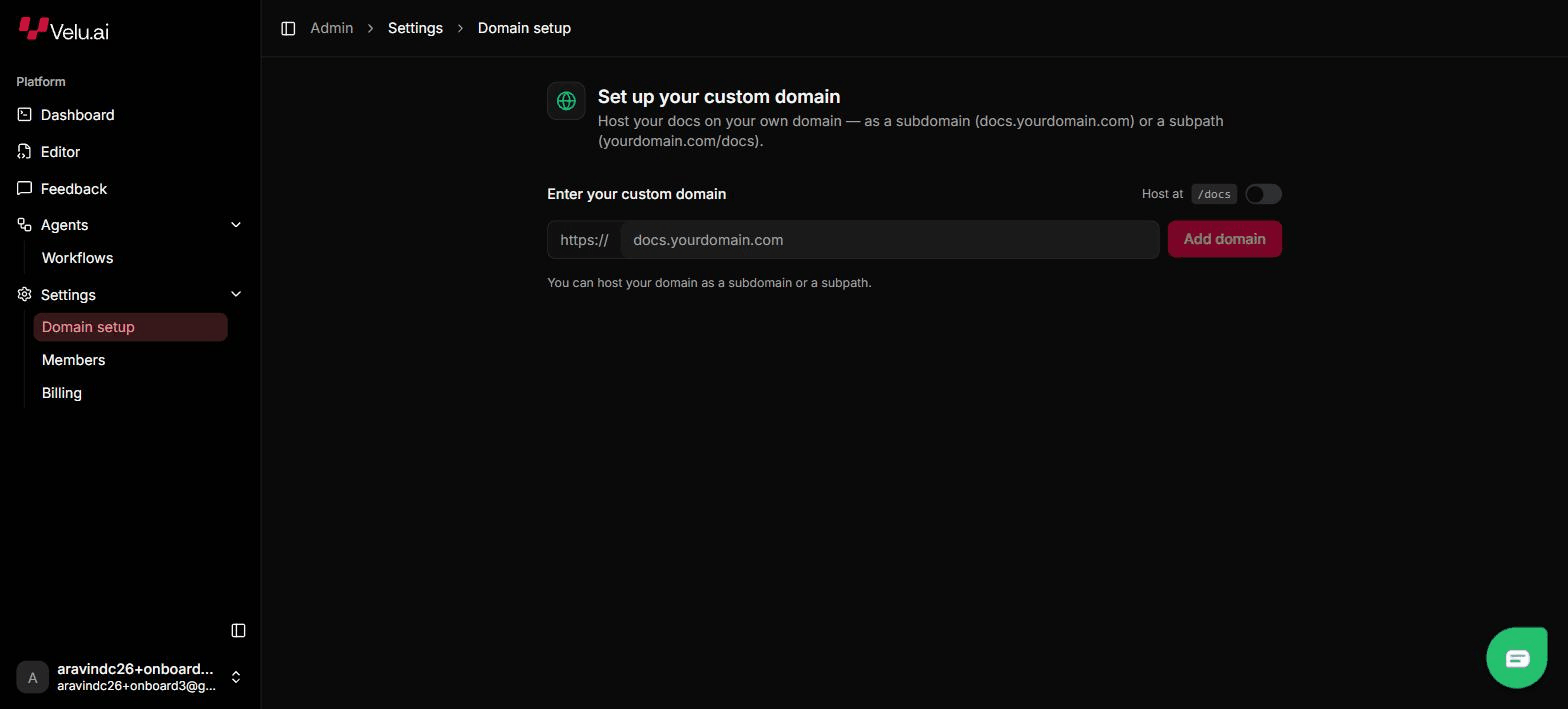
Add and manage domains in the dashboard under Settings → Domain.
Subdomain
Use a subdomain, such as docs.acme.com, when the docs live on their own host.
Velu terminates TLS and issues the certificate for you.
In Settings → Domain, add docs.acme.com. The dashboard shows a verification
token.
Add both records at your DNS provider:
| Type | Name | Value |
|---|---|---|
| TXT | _velu-verify.docs.acme.com | velu-verify=<token> |
| CNAME | docs.acme.com | cname.getvelu.com |
Use the exact token shown in the dashboard.
Velu verifies the TXT record, then provisions TLS automatically. Status moves from pending to provisioning to active; the dashboard re-checks on its own.
Set the TXT verification record before Velu can issue a TLS certificate. If it's missing, verification and provisioning stall at pending.
Subpath
Use a subpath, such as acme.com/docs, when the docs sit under an existing site.
Turn on the Host at /docs toggle when you add the domain. In this mode you run
the reverse proxy and manage TLS yourself.
Add acme.com in Settings → Domain and enable Host at /docs. The dashboard
shows a verification token.
Add the verification record at your DNS provider:
| Type | Name | Value |
|---|---|---|
| TXT | _velu-verify.acme.com | velu-verify=<token> |
Route acme.com/docs to your Velu origin from your own web server or CDN, and
manage the TLS certificate for acme.com yourself.
Status and DNS instructions
Domain status flows pending → provisioning → active, and the dashboard re-checks automatically: you don't need to trigger it. Alongside the records, the dashboard shows step-by-step DNS instructions for common providers: General, Cloudflare, Route 53, and Vercel.
Private authentication works on custom domains and /docs subpath hosts. See
Authentication setup.
See Publishing for how sites go live in the first place.